A comprehensive guide to minimize BigQuery cost
This article lists the most prominent ways to control or reduce the BigQuery cloud bill. A must-read for anyone who works with large datasets (be it GA4 or other) in BigQuery or is responsible for BigQuery project budgets.
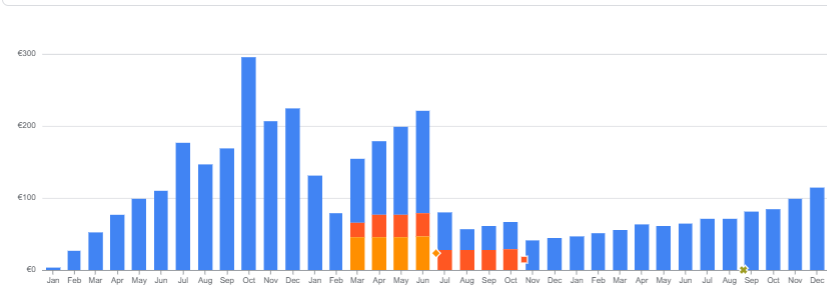
One of the most widely held fears about BigQuery is the cloud bill and how expensive it is (or will be) to operate it. While usually, for most organizations, the BigQuery cost is — and will always remain — negligible, there are occasions where it is important to keep to manage costs closely, otherwise they can grow big over time, or can suddenly spike and cause a nasty month-end surprise.
For companies who use GA360 or some other really big data sources (their own proprietary ones or digital ones like Merchant Center), getting access to this premium article will quickly pay for itself.
This article will look at a number or ways you can reduce the cost, or you can keep them at bay. The first two are free (basic monitoring and capping), then several tips follow that actually help reduce the costs, only for premium subscribers:
- budget alerts and quota limits
- reducing query costs (by cost-efficient querying practices)
- reducing query costs by smart choices in data definition (when creating tables)
- reducing storage costs
- identifying "culprits" and cost drivers (including how to deal with Looker Studio / BI tools driving query costs)
Billing related settings
First, let's see what we can do outside the SQL world, just by leveraging the GCP settings and billing related functionality.
Setting budget alerts
This is a basic one, though often overlooked. BigQuery allows setting alerts when a pre-defined threshold is met. Go to the Billing menu item and click on the Budgets & Alerts option.
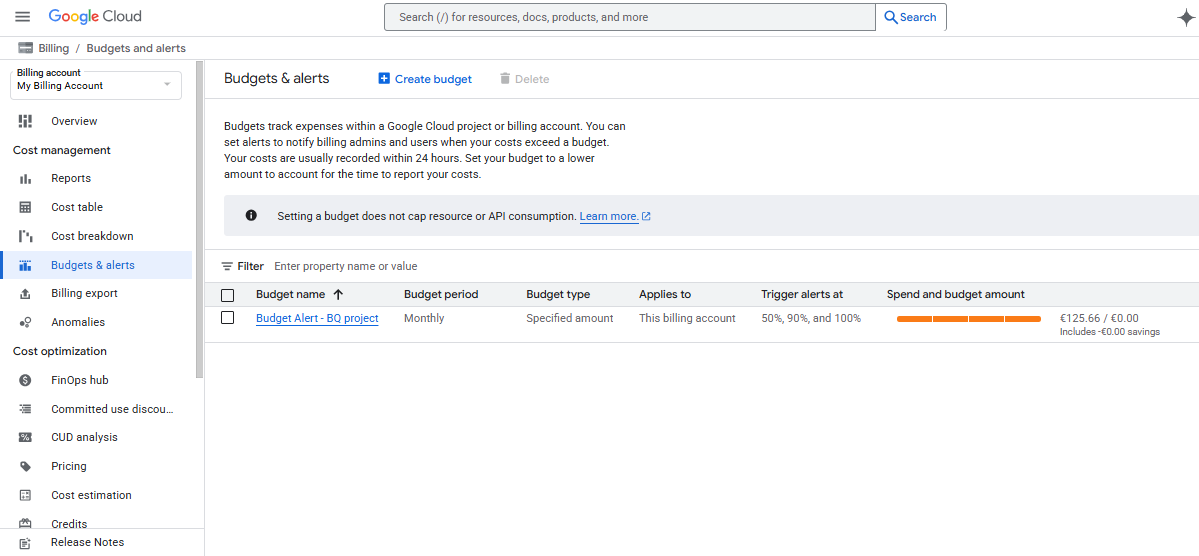
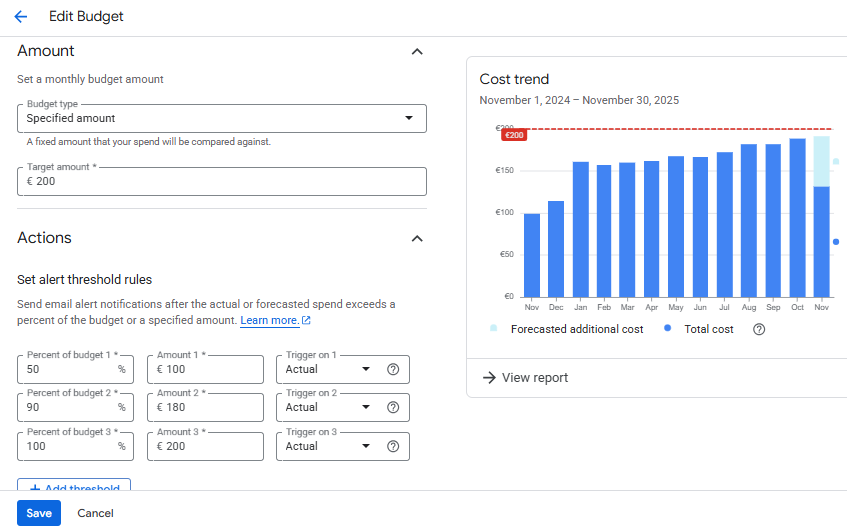
Then you can set up a granular monitoring mechanism either based on a constant budget value, or based on the previous period's spend. You can set up as many alert thresholds as you want (the screenshot shows the defaults). You can alert on reaching actuals, or on forecasted values.
Setting quota limits
The difference between budget alerts and quota limits is that while the former only informs you about the "damage already done", the latter actually helps you prevent bad things from happening.
Since it has been described in detail in another article here on GA4BigQuery, you can just visit that post and follow the process there. While Google has recently introduced a default quota limit for all projects, it is still too high — so while you probably cannot accumulate a $50000 bill anymore by playing with "innocent" queries, getting a $1250 bill (per day!) can still be "bad enough" for individuals as well as companies. (The default daily query limit is 200TB.)
These were the basics. Now let's look at some power moves that actually lower cost, or lead to actions that do.
How to reduce querying costs (cost-efficient querying)
Instead of "building up" the thing, let's start with the piece that makes the most difference: querying costs (as queries are far more expensive than storing the data). The nature of savings can come from two directions: changing analysts' behavior towards more cost-effective ways (either by guidelines or by enforcing them), or by designing the structure of the data to make queries more efficient.
